Pro video editing, built for touch from the first frame: a multi-track timeline, keyframes, colour, titles and HDR export on iPad and iPhone, with every tool made for a finger.
V1 is magnetic: drop a clip between two others and the track closes up round it. The title on V2 goes wherever you let go. Keys work too: focus a clip and use ← →.
What people actually edit
Nobody's first edit is a feature film.
It's four kids who can't wait for the cake. A dinner that ran late. The dog's first week home. Up you go, one more time. These are the edits people actually make, and they deserve a proper editor.
25 built-in templates start you off. Drop your photos and clips into the slots, type over the words, and it's an ordinary project, every clip and move yours to change.
Years of scrolling, pinching and holding, finally put to work. Every move is timed so it never fights a scroll: a slide still scrolls, and a hold still holds.
0.3 s
Hold a clip
It lifts. Carry it along the timeline or up a track, and a yellow line shows where it will land.
pinch
Pinch the timeline
From the whole project in view to 800 points a second. The tracks stretch under your fingers and only settle when you mean it.
0.3 s
Hold the picture
It plays at 2× while you hold, forwards on the right half and backwards on the left.
tap
Tap the picture
The right third steps one frame forward, the left third one frame back. Quick taps keep stepping.
0.14 s
Press ⋯ and slide
Every ⋯ and More opens as you press. Slide the same finger to a row, let go, and it runs.
2 taps
Double-tap a clip
The Enhanced Editor opens on it, full screen, with the tabs that suit the clip.
2 fingers
Carry with a second finger
While one finger carries a clip, a second on the overview strip brings any part of the project to meet it.
Now look underneath
Friendly on top. Pro all the way down.
Every screen here is the real app, cutting the photos from this page.
Counted, not claimed
Small screen. No small tools.
iPad and iPhone
The iPad on your lap. The iPhone in your pocket.
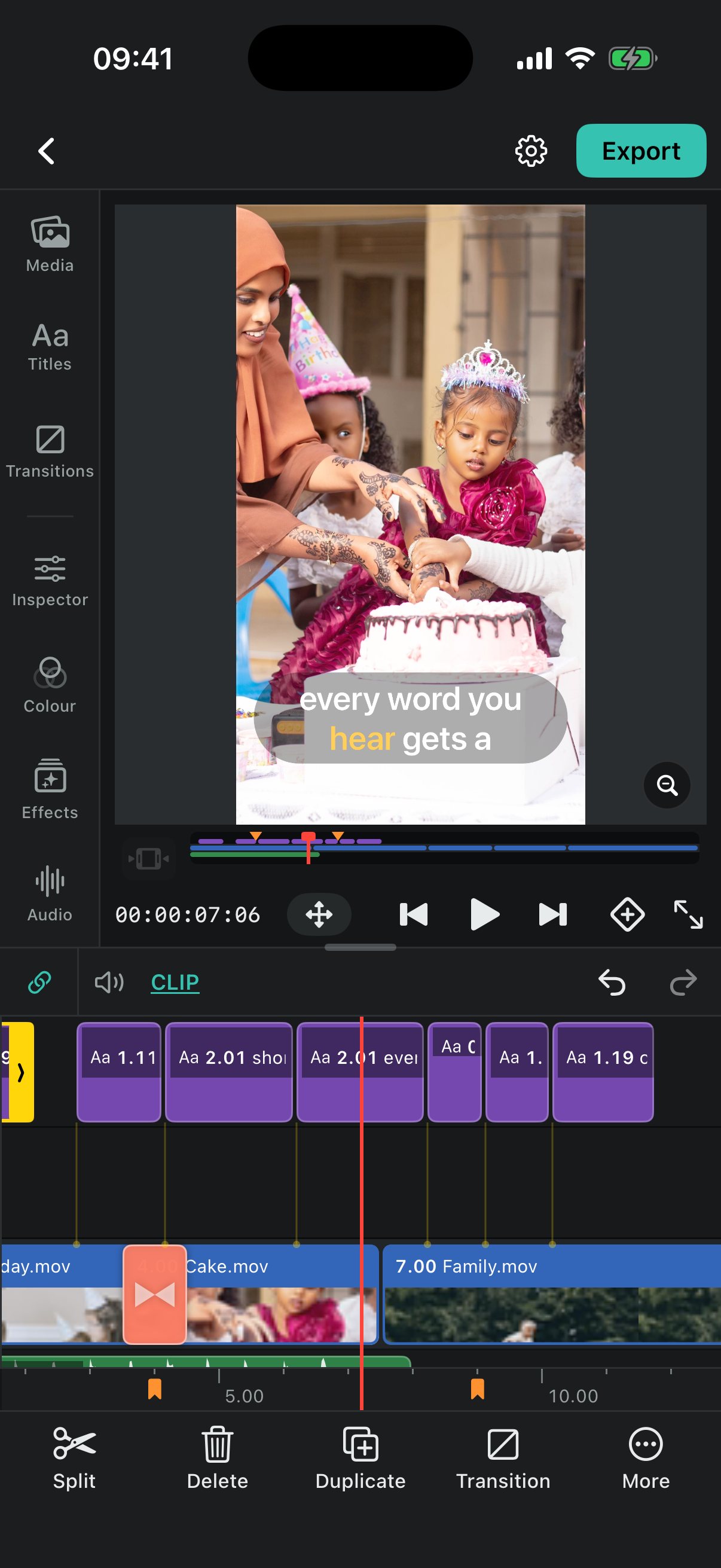
One Cold Editor, two shapes. On iPad, the Studio Bar opens panels either side of the picture. On iPhone it stands tall in portrait, with the tools in reach of your thumb.
Every edit behaves the same
A split, a keyframe or a colour change does exactly the same thing on both.
Laid out for the glass you hold
On iPad, panels either side, resized with a drag. On iPhone, one thing under the picture at a time.
The same editor underneath
The same timeline, keyframes, colour, titles and export on each.
The whole toolbox
Every tool, by name.
Have a rummage. Filter by what you make, search by name (typos forgiven), or tap Select and pick the ones you'd try first, the way you pick clips.
Coming to iPad and iPhone
Next birthday, you're the editor.
Cold Editor
Cold Editor is coming to iPad and iPhone. It isn't on the App Store yet: it's being built and tested on real iPads and iPhones right now.
 Cold Editor
 Birthday Card9:16
 Friends Reel9:16
 Today's Specials9:16
 Thank You1:1
 Baby Milestone9:16
 Meet the Team9:16
 New Drop9:16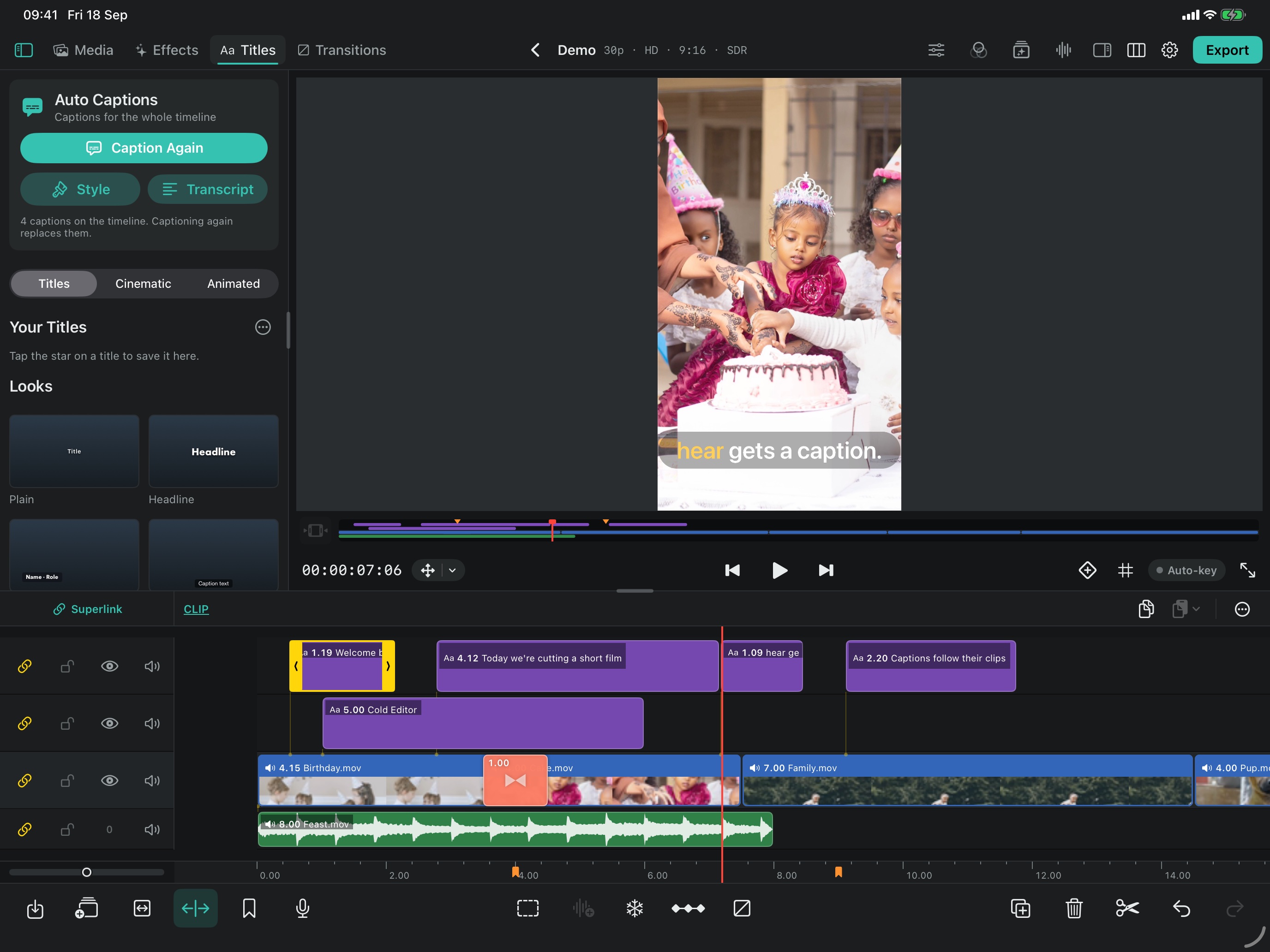
 Cold Editor